 Pixel Print
Photos
Cities, nature, landmarks, heritage and art at high resolution, credited on screen.
High-resolution photos of cities, nature and heritage, with a large clock, the weather and the latest headlines. In your language, set up from your phone in seconds.
Free. No account. No sign-in.
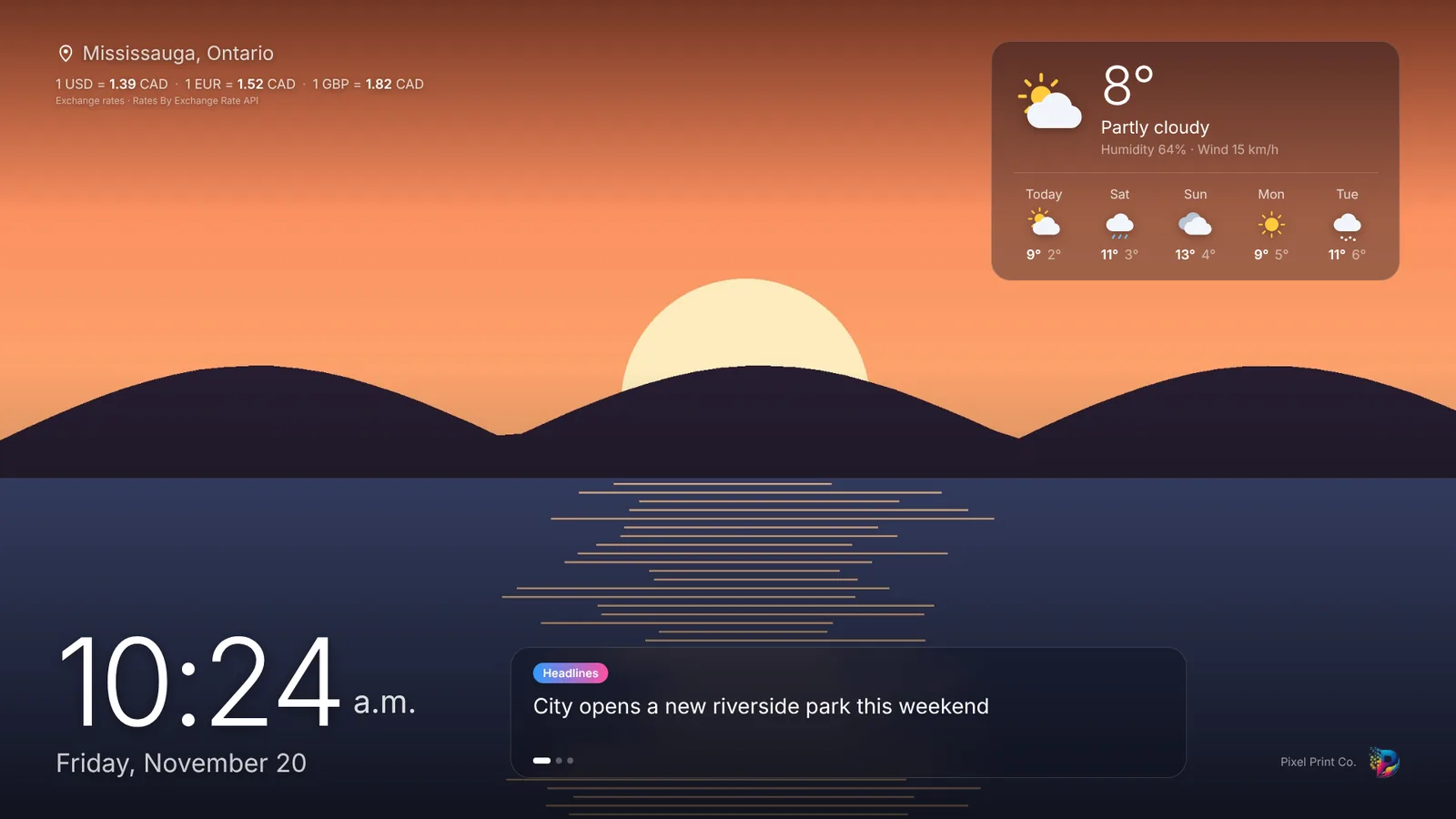
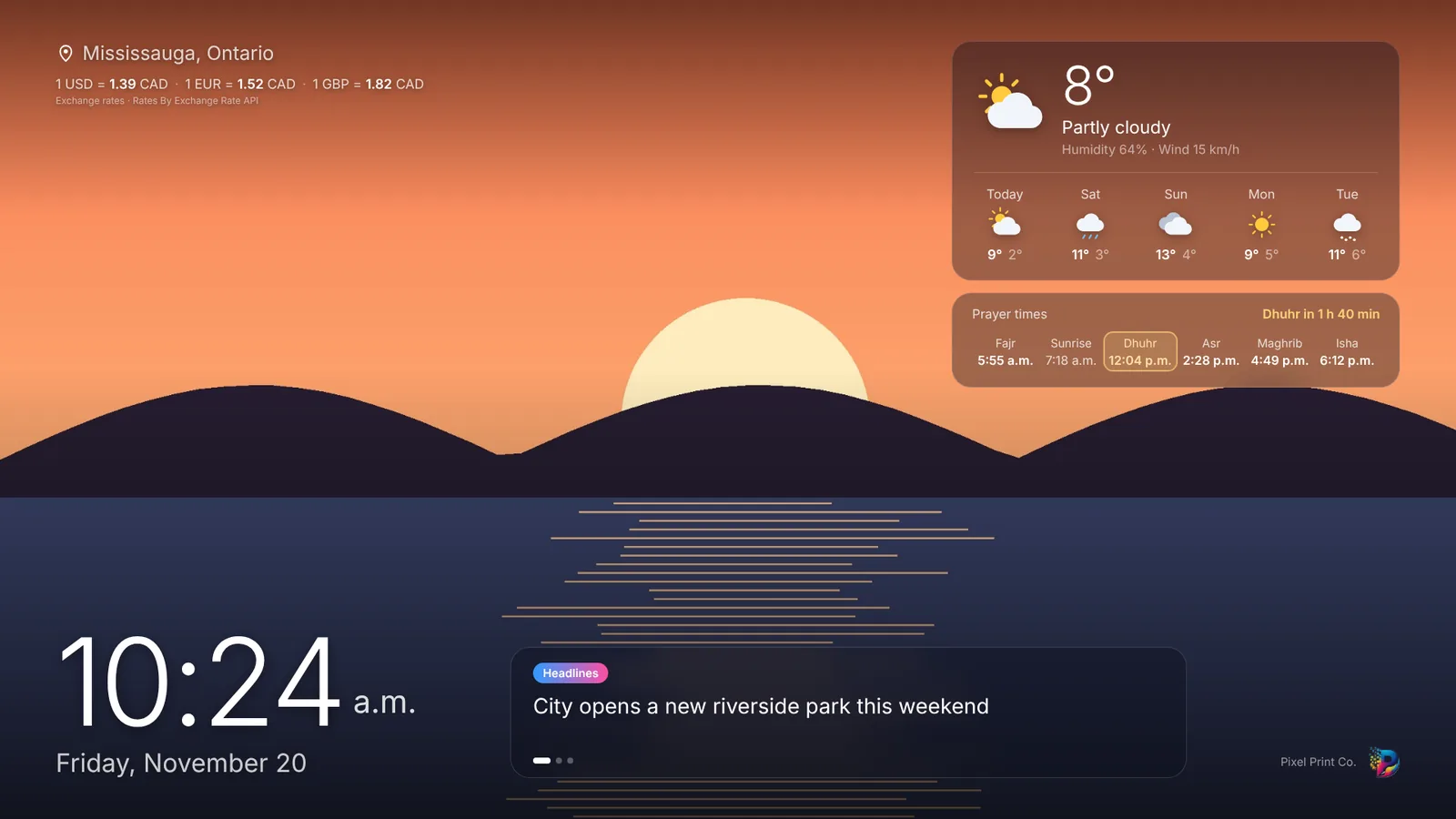
Get Pixel Print Ambient on your Android TV, Google TV, Roku, Samsung or LG TV, or open it in any browser.
Scan the code on the TV, choose your city, language and options on your phone, tap Save. The TV updates in seconds.
Use it as the screen saver, or let it open when the TV turns on. Nothing else to do.
A calm, clear screen for the living room, the shop or the office.
Cities, nature, landmarks, heritage and art at high resolution, credited on screen.
Large and easy to read from across the room, in your format.
Today and the next days for your city, in °C or °F.
Short news headlines from neutral sources, in your language.
The currencies that matter to you, updated daily.
Optional: the five daily prayers with a countdown, and an optional adhan.
Greetings for Ramadan, Eid, Diwali, Christmas and more, with a countdown.
A softer, dimmer screen late at night.
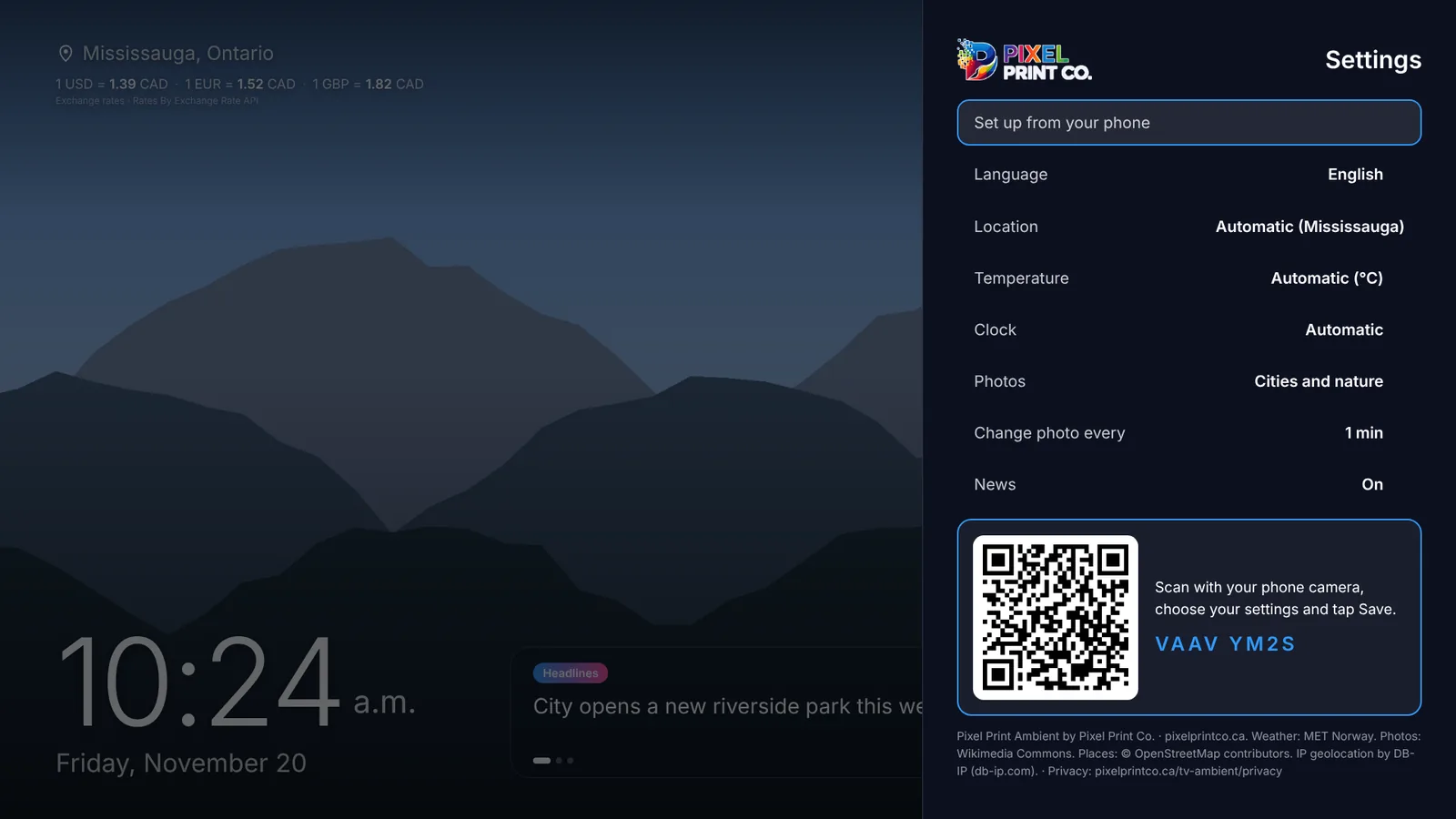
No typing with the TV remote. Open Settings, scan the code with your phone camera, choose your city, language and options, and tap Save.
Turn on prayer times to see the five daily prayers for your city, calculated on the TV with the method used in your country, with a countdown to the next one.
Pixel Print Ambient can be your TV's screen saver, so the TV shows something beautiful whenever it's idle. On Android TV it can also open by itself when the TV starts.
Free on your TV's app store, or right in your browser.
No account, no sign-in and no tracking. The app uses only your approximate city, and doesn't store it.
Yes. Pixel Print Ambient is free, with no account and no subscription. It occasionally shows promotions for Pixel Print Co., our print and design studio in Mississauga.
Android TV and Google TV (Sony, TCL, Hisense, Philips and others), Roku, Samsung (Tizen) and LG (webOS) smart TVs, and any web browser. Store availability can differ by country.
On Android TV or Google TV: Settings, System, Ambient mode or Screen saver, then choose Pixel Print Ambient (the menu name depends on your TV). On Roku: Settings, Theme, Screensavers. The app's settings also explain it.
Yes. The app finds your city by itself, but you can pick any city in the world in Settings, or from your phone.
Photos come from Wikimedia Commons and are credited on screen. Headlines come from public news feeds of neutral publishers. Weather comes from MET Norway.
It loads a new photo about once a minute (you choose how often) and keeps the latest content on the TV, so it keeps working for a while if the internet drops.